


Can I Use IPTV on More Than One TV in the Same House?
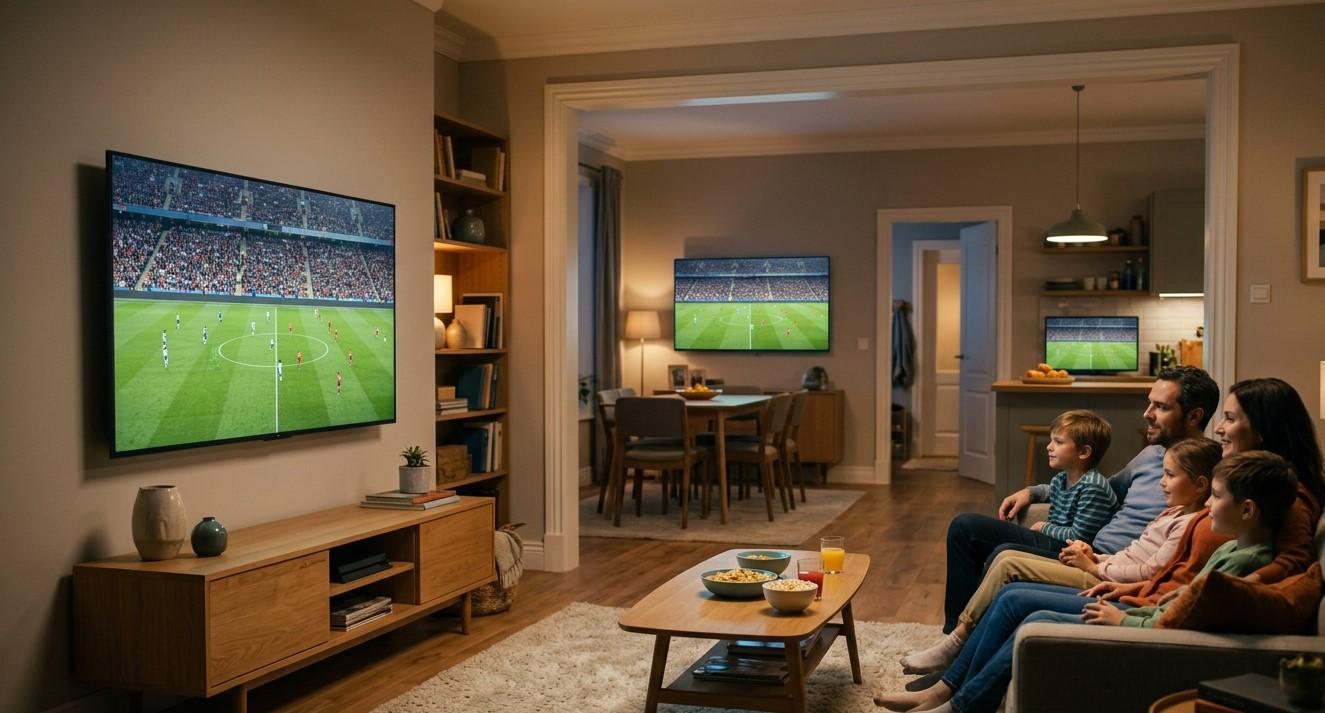
Many homes have more than one television, whether it's in the living room, bedroom, or a home office, and it's natural to want your channels available everywhere. The good news is that this is entirely possible with IPTV, though how you set it up depends on your subscription plan and a few equipment choices. In this guide, we'll explain how to use IPTV India across multiple TVs in one home, and how an Indian IPTV Box fits into a multi-room setup.
Table of Contents
- Can You Use IPTV on Multiple TVs?
- How Multi-TV Access Depends on Your Plan
- Setting Up Each TV
- Do You Need a Separate Device for Each TV?
- Watching Different Channels on Different TVs at Once
- Network Considerations for Multiple TVs
- Tips for Managing a Multi-TV Household
- FAQs
Can You Use IPTV on Multiple TVs?
Yes, IPTV can absolutely work across multiple televisions in the same home, since your subscription is tied to your account rather than a single piece of hardware. Whether you can watch on two TVs at the same time, or only one at a time, depends specifically on how many simultaneous streams your IPTV India plan allows.
How Multi-TV Access Depends on Your Plan
The key factor here isn't the number of TVs, but the number of simultaneous streams your subscription supports:
- Single-connection plans – Only one device can stream at a time. If you try to watch on a second TV while the first is active, it may log out the original session
- Multi-connection plans – Allow two or more devices to stream at once under the same subscription, making it possible to watch different channels on different TVs simultaneously
- Unlimited or high-limit plans – Some providers offer plans with a higher device allowance, better suited for larger households with several TVs in regular use
Before setting up multiple TVs, it's worth checking exactly what your specific plan allows, since this determines whether you need to upgrade to accommodate everyone's viewing habits.
Setting Up Each TV
For each additional television, the setup process is essentially the same:
- Connect a compatible device to the TV, such as an Indian IPTV Box, Smart TV app, or Firestick
- Connect the device to your home Wi-Fi or Ethernet
- Install or open the IPTV app
- Log in using the same subscription details used on your other devices
- Load the channel list and confirm streaming works properly
Since the login credentials are tied to your account rather than a specific device, the same details can typically be used across as many devices as your plan allows.
Do You Need a Separate Device for Each TV?
In most cases, yes, each TV needs its own way to access the internet and run the IPTV app:
- A Smart TV with built-in app support doesn't need extra hardware
- A non-smart TV will need a separate device, such as a Firestick, streaming stick, or dedicated Indian IPTV Box
- Older or basic TVs in secondary rooms, like a bedroom or guest room, often benefit from an affordable streaming stick rather than a full-featured box
Budget-friendly devices work well for secondary TVs that don't need the same level of performance as your main living room setup.
Watching Different Channels on Different TVs at Once
If your plan supports multiple simultaneous streams, each TV can independently browse and watch different content:
- One TV can watch live sports while another plays a movie or serial
- Each device maintains its own navigation, meaning one household member changing channels doesn't affect what's playing on another TV
- Favorites lists are often account-wide, though some apps allow device-specific customization
This flexibility is one of the bigger advantages of IPTV compared to older cable setups, which often required separate physical connections and equipment rental fees for each additional TV.
Network Considerations for Multiple TVs
Running IPTV on several TVs at once does increase the demand on your home network:
- Sufficient internet speed becomes more important, since each simultaneous stream uses its own share of bandwidth
- A stronger router or mesh system can help maintain consistent performance throughout the house
- Wired connections for at least your primary TV can reduce strain on your Wi-Fi network
- Monitoring for congestion during peak simultaneous usage, such as evenings, helps identify if an upgrade is needed
Tips for Managing a Multi-TV Household
- Choose a plan tier that matches your actual number of TVs and typical simultaneous usage
- Label devices clearly, especially if using similar equipment across multiple rooms
- Set up parental controls per device, if needed, particularly for TVs in children's rooms
- Consider a dedicated Indian IPTV Box for your main TV, paired with more affordable streaming sticks for secondary rooms
- Test simultaneous streaming across all your TVs together, rather than assuming it will work based on testing just one at a time
FAQs
1. Do I need to pay extra to use IPTV on multiple TVs?
This depends on your provider's plan structure. Some plans include multiple simultaneous streams, while others may require an upgrade or add-on for additional connections.
2. Can I use the same login on all my TVs?
Yes, typically the same subscription details work across multiple devices, as long as your plan supports the number of simultaneous streams you need.
3. Do all my TVs need an Indian IPTV Box?
Not necessarily. Smart TVs with built-in app support don't need extra hardware, while non-smart TVs will need a device like a streaming stick or box.
4. Can two TVs in my house watch different channels at the same time?
Yes, as long as your subscription plan supports multiple simultaneous streams, each TV can watch independently.
5. Will using IPTV on multiple TVs slow down my internet?
It can increase demand on your network, so ensuring sufficient internet speed and a capable router helps maintain smooth performance across all devices.
Bring IPTV to Every Room in Your Home
Whether it's your living room, bedroom, or home office, IPTV India can extend to every television in your house with the right plan and setup. Pair your main TV with a reliable Indian IPTV Box and add affordable devices for secondary rooms. Explore our IPTV plans today and find the right multi-TV solution for your household.

 English
 Arabic
 Spanish
 Portuguese
 Deutsch
 Turkish
 Dutch
Dutch
 Italiano
 Russian
 Romaian
 Portuguese (Brazil)
 Greek
Greek